Accessing Your Performer Dashboard
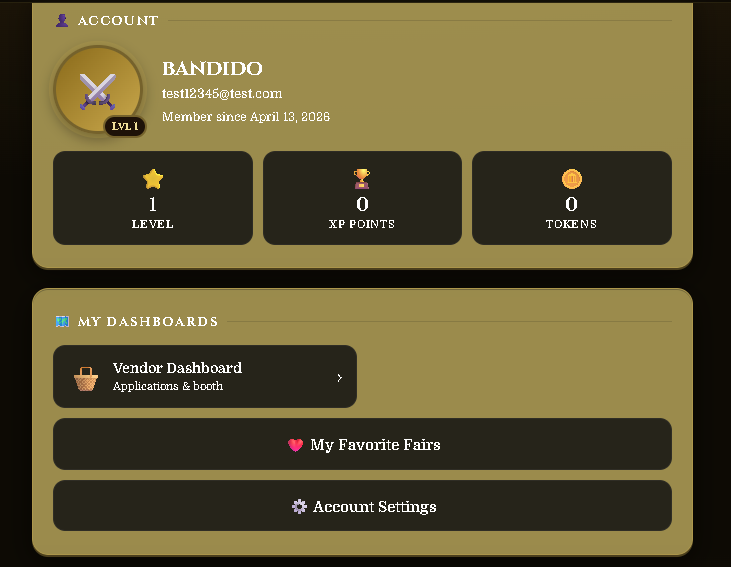
Find the Performer Dashboard Button
After submitting your application, a Performer Dashboard button will appear on your profile page. Click it to access your dashboard and check your application status at any time.
Your Dashboard Overview
The Performer Dashboard is your home base for managing your performer profile on FairQuest.
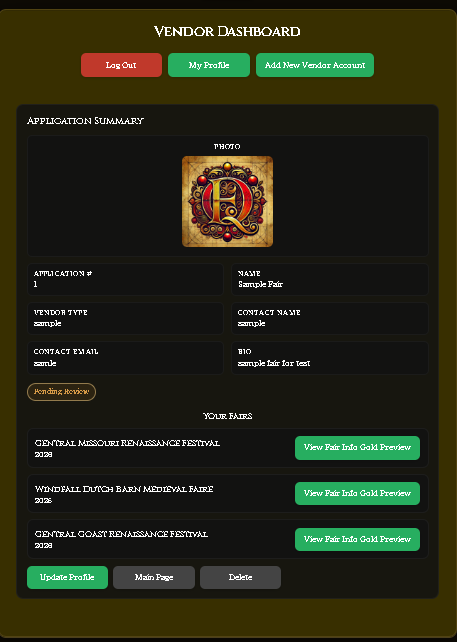
• My Profile — takes you back to your main FairQuest profile page.
• Add New Performer Account — allows you to add another performer profile if you have a second act under a different name.
• Update Profile — edit your performer name, bio, photos, contact info, and the fairs you're attending. See the Update Guide for details.
• Main Page — coming soon. This will allow performers to create a public-facing page with more details about their act.
• Delete — permanently removes your performer application. This cannot be undone.
• Fair Applications — apply to fairs that accept applications through FairQuest and check the status of your submissions.