Before You Begin
You'll need a FairQuest account before you can manage your fair. If you don't have one yet, follow the User Guide first — it walks you through creating your account step by step.
Already have an account? Great — you're ready for the next step.
How to Add or Claim Your Fair
Getting your fair on FairQuest is a simple process — just send us an email and we'll take care of the rest.
Email Us
Send an email to fairquestapp@gmail.com and let us know one of the following:
• My fair is already on FairQuest — I'd like to claim ownership and manage it.
• My fair is not on FairQuest yet — I'd like to add it.
Include your fair name, your website or social media link, and the email address you used to create your FairQuest account.
We Verify Your Ownership
Once we receive your email, we'll verify that you are the real owner or organizer of the fair. We do this by checking your fair's website, social media, and other public information.
We Link Your Account to Your Fair
Once verified, we'll link your FairQuest account to your fair and grant you admin access. If your fair wasn't on FairQuest yet, we'll create the listing for you as well.
You'll receive a confirmation email once your access has been granted.
Access Your Fair Dashboard
Once your fair has been verified and approved, you'll receive a confirmation email. Log in to the same FairQuest account you used when you contacted us. On your profile page, a new Manage My Fairs button will appear. Click it to go to your Fair Dashboard.
If you manage more than one fair, you'll see all your verified fairs listed in the dashboard — each one accessible from the same place.
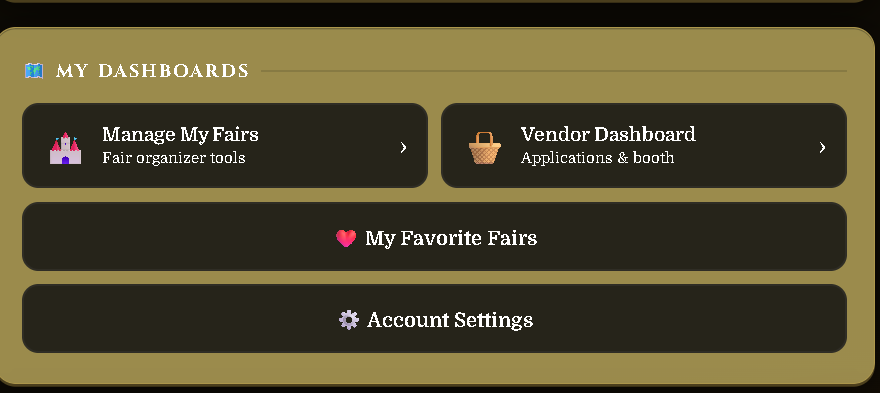
Once inside, you'll see all the fairs linked to your account. Click on the fair you want to manage to open that fair's dashboard and make any updates or changes.
Managing Your Fair
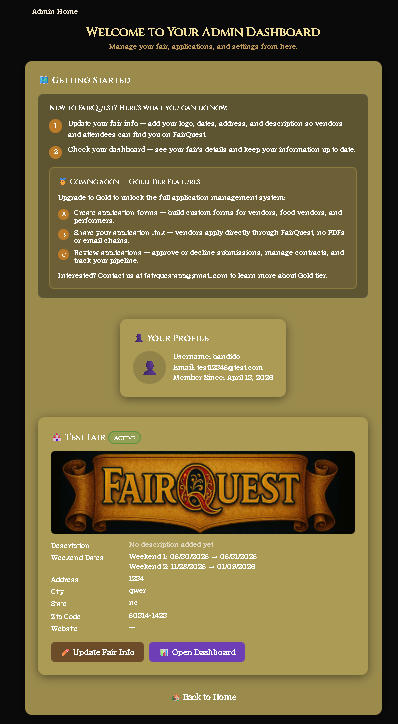
After your fair is created, your Fair Dashboard is where you manage everything. Here's what's available on the basic plan.
Access Your Fair Dashboard
From My Fairs, click on your fair to open the Fair Dashboard. This is your control center for managing your fair on FairQuest.
What You Can Do — Basic Plan
With a basic fair listing on FairQuest you can:
• Update Fair Info — edit your fair name, address, dates, hours, description, image, and contacts at any time.
• View Your Fair Page — see exactly what visitors see when they find your fair on FairQuest.
• My Fairs — manage all your fairs from one place if you run more than one event.
Silver & Gold Plans
Want to do more with FairQuest? We're building Silver and Gold plans for fair owners that unlock powerful tools for managing vendors, performers, applications, payments, and more.
Silver Plan — Coming Soon
Additional management tools for growing fairs. Details coming soon.
Gold Plan — Coming Soon
The full FairQuest experience — vendor and performer applications, weekend pricing, payment tracking, vendor directory, staff access, and more. Details coming soon.